
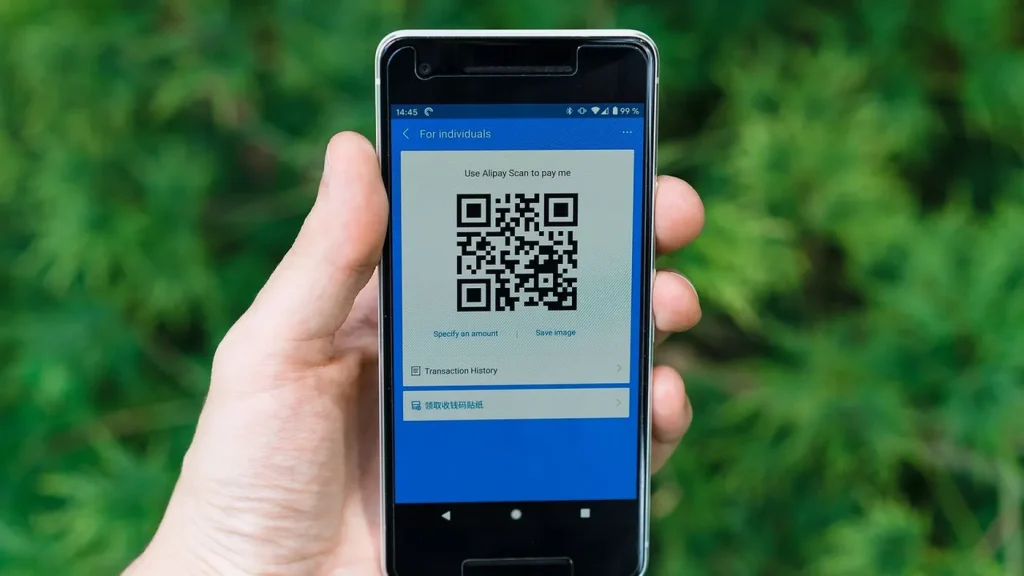
Last reviewed: 10 November 2026. China runs on QR codes. Street vendors, taxi drivers, temple donation boxes and vending machines all expect a phone, and many small merchants no longer keep change. The good news: since 2023 both Alipay and WeChat Pay accept foreign Visa and Mastercard directly, so you can set this up before you fly and pay like a local from day one.
This guide covers which app to install, how to add your card step by step, what it costs, and what to do when a payment fails.

The short version
- Install Alipay first — it has the smoothest foreign-card onboarding and the widest merchant coverage.
- Install WeChat Pay as well — some merchants only accept it, and it is how you pay people directly.
- Add your Visa or Mastercard inside the app. No Chinese bank account is required.
- Keep RMB 300–500 in cash as a fallback for the first day.
- Expect a small fee on larger transactions, and a per-transaction limit that varies by card and app.
Why you cannot rely on cards or cash
China skipped the card era. A convenience store may have a card terminal, but a noodle shop, a fruit stall, a temple or a rural bus will not. Cash is legal tender and merchants must accept it, but in practice nobody has change, and some staff will simply ask you to scan.
Two consequences for travellers: first, set up a payment app before you arrive, because the verification step is easier on a stable connection; second, do not assume your hotel can break a 100-yuan note.
Alipay or WeChat Pay?
| Alipay | WeChat Pay | |
|---|---|---|
| Foreign card support | Yes, since 2023 | Yes, since 2023 |
| Onboarding | Fastest — passport scan plus card | Slightly longer, more verification steps |
| Merchant coverage | Very wide, especially online and transport | Very wide, especially small merchants and personal transfers |
| English interface | Good | Usable but patchier |
| Best for | Paying shops, buying train tickets, DiDi, bike share | Paying individuals, splitting bills, some local shops |
Install both. They take ten minutes each and together cover essentially everything.
Setting up Alipay with a foreign card
- Download Alipay from your app store and register with your home mobile number. You will receive an SMS code.
- Open Me → Bank Cards → Add, or accept the prompt to add a card on first launch.
- Enter your card number, expiry and CVV. The app will run a small authorisation.
- Complete identity verification: scan your passport photo page, then take a selfie when prompted. Do this in good light — failed scans are the most common reason people give up.
- Set a six-digit payment password. This is separate from your login and is required for every payment above a small threshold.
- Test it: buy something trivial, such as a bottle of water, before you rely on it for a taxi.
Alipay also has a “Tour Pass” style prepaid option in some regions, but with foreign cards working directly you do not need it. Skip the prepaid route unless your card is repeatedly declined.
Setting up WeChat Pay
- Install WeChat and register with your phone number.
- Go to Me → Services → Wallet → Bank Cards → Add.
- Add your card and complete identity verification with your passport.
- WeChat may ask for additional confirmation — a short video, or a code sent to your card’s registered phone. Have your banking app to hand.
- Set a payment password and enable fingerprint or face unlock for speed.
WeChat is stricter about verification than Alipay. If it refuses your card, try a different card issuer before assuming the app is broken.
Fees and limits
Both apps pass on a card processing fee for larger transactions. As a rule of thumb:
- Small payments — roughly under RMB 200 per transaction — usually carry no fee.
- Larger payments attract a fee of around 3%, charged by the app, not the merchant.
- There is a per-transaction ceiling and an annual ceiling. Both depend on your card issuer and your verification level, and both change.
For everyday travel — meals, metro, taxis, tickets — the fee rarely matters. For a hotel bill paid by QR code, it can add up; pay hotels by card directly when you can.
What still does not work
- Some online merchants require a Chinese ID for account registration, even though payment itself accepts foreign cards.
- Certain card issuers block the transaction as high-risk. Call your bank and whitelist China before you travel.
- Person-to-person transfers from a foreign card are restricted; you may not be able to send money to a friend’s personal account.
- Refunds go back to the original card and can take 3–15 working days.
Everyday uses worth knowing
Once the app works, it becomes your transport card and your ticket office:
- Metro — most Chinese cities let you scan a QR code at the gate through Alipay’s transport mini-program.
- DiDi — the ride-hailing app has an English interface and charges through Alipay or WeChat.
- Train tickets — 12306 accepts Alipay and WeChat; the app also stores your passport as ID.
- Bike share — scan and go, no deposit for verified foreign users.
- Attractions — many museums and parks now require timed-entry booking through a mini-program.
Business travellers: invoices and fapiao
If you are claiming expenses, China works on the fapiao — the official tax invoice. It is not the same as a receipt, and a payment screenshot is not accepted by most finance departments.
- Ask before you pay. Say “fapiao” (发票) at the counter. Small shops often cannot issue one; chain stores, hotels and restaurants usually can.
- Digital fapiao are now standard. The merchant sends a link or a QR code, you enter your company title and tax number, and the invoice arrives by email or in the app.
- Your company details must be exactly right, including the Chinese name and the 18-digit unified social credit code. Save them in a note before you travel.
- Alipay can store fapiao in a wallet under “Invoices”, which makes month-end expenses much easier.
For a business trip, budget one extra minute at each payment and collect the fapiao as you go — going back for one afterwards rarely works.
What a normal day actually costs
To give the fees some scale, a typical independent traveller spends roughly RMB 400–700 a day outside Beijing and Shanghai, and RMB 600–1,000 in them. Broken down:
| Item | Typical cost | How you pay |
|---|---|---|
| Metro ride | RMB 3–8 | QR code at the gate |
| Taxi / DiDi across town | RMB 30–80 | App, automatic |
| Noodles or dumplings | RMB 20–45 | Scan at the counter |
| Sit-down dinner for two | RMB 150–350 | Scan, sometimes card |
| Museum or park entry | RMB 0–60 | Mini-program booking |
| Bottle of water | RMB 3–5 | Scan |
Almost none of these are large enough to trigger a card fee, which is why most travellers never notice the 3%.
Troubleshooting
The card is declined when adding
Most often this is your bank’s fraud filter, not the app. Call the number on the back of the card, say you are travelling in China, and retry. If it still fails, try a second card — debit cards are rejected more often than credit cards.
Payment fails at the counter
Check that you are on the merchant’s own QR code, not a personal transfer code. Ask the staff to show you the “scan to pay” code behind the till rather than a personal one.
The app asks for a Chinese ID
Some mini-programs and services require one. Pay at the counter instead, or use a different merchant — this is a limitation of that specific service, not of your account.
I sent money to the wrong person
Person-to-person transfers are instant and generally cannot be reversed. Confirm the name shown on screen before you tap pay.
Frequently asked questions
Do I need a Chinese bank account?
No. Foreign cards work directly in both apps. A Chinese account is only useful if you live here and want to avoid card fees.
Can I use Apple Pay or Google Pay?
Only where a terminal accepts contactless cards, which is uncommon outside hotels and chain stores. QR payment is the norm.
What if my phone dies?
Carry a power bank and some cash. A dead phone in China is closer to a lost wallet than in most countries.
Is it safe?
Payment requires a six-digit password or biometrics, and the apps do not expose your full card number to merchants. The main risk is scanning a fraudulent QR code stuck over a real one — scan codes at the counter, not ones on stickers in the street.
Fees, limits and verification requirements change without notice. If something in this guide is out of date, tell us on the contact page — corrections are published within 72 hours.