
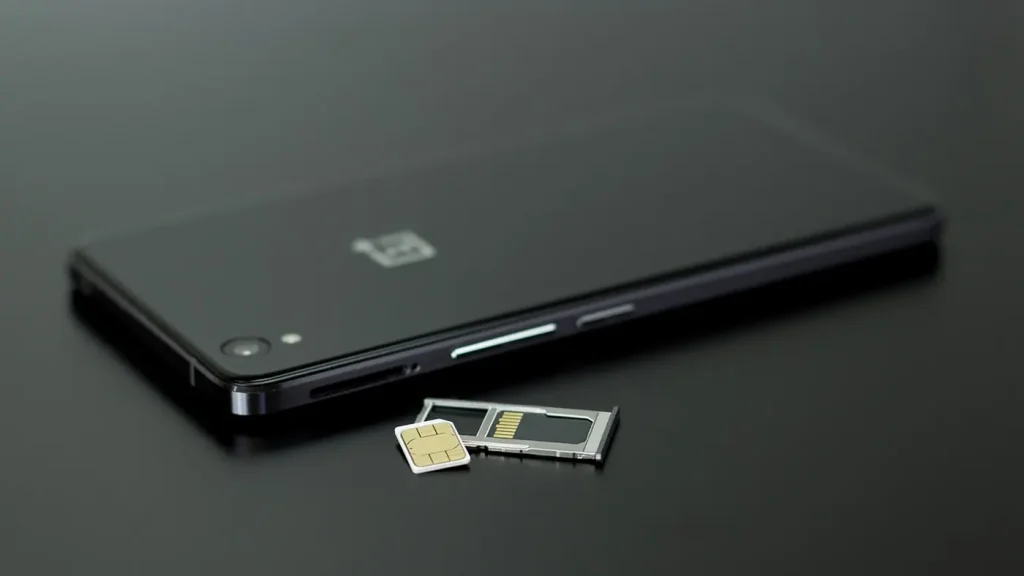
Last reviewed: 10 November 2026. Getting online in China is the first practical problem most visitors hit — before payments, before transport, before anything else. This guide compares the three realistic options (roaming, eSIM, local SIM), explains the real-name rules, and covers the part most guides skip: which services will not work once you are connected.
The three options at a glance
| Home roaming | Travel eSIM | Local SIM | |
|---|---|---|---|
| Set up | Before you fly, with your own carrier | Before you fly, by QR code | On arrival, in person |
| Cost for 7–10 days | Highest — often US$10–20 per day | US$10–30 total | RMB 50–150 total |
| Real-name registration | Not needed | Not needed | Passport required, in person |
| Chinese apps | Work | Work | Work |
| Western apps behind the firewall | Usually reachable via your home network | Depends on the provider’s routing | Blocked |
| Chinese phone number | No | Some providers add one | Yes |
| Best for | Short business trips | Tourists, 1–3 weeks | Long stays, students, residents |
For a one-to-three week trip, a travel eSIM is almost always the right answer. For anything longer than a month, a local SIM pays for itself within a week and gives you a Chinese number, which you will need for deliveries, taxis and some app registrations.
Option 1: a travel eSIM
An eSIM is a data plan installed as a QR code — no plastic, no shop, no queue. You buy it before you travel, scan it when you land, and it activates on arrival.
Why it works well in China
- No real-name registration. You do not need a Chinese ID or a shop visit.
- Often routes traffic outside mainland China, which means the international apps you rely on may keep working. Check this before you buy — it is the single most important difference between providers.
- Keeps your home number active for SMS codes, typically at no extra charge while data runs on the eSIM.
What to check before buying
- Does the plan route through a non-China gateway? Some do, some do not. Ask, or read the provider’s China page carefully.
- Is it data-only? Most are, which means no Chinese phone number. Fine for maps and messaging, useless for delivery drivers.
- Does your phone support eSIM? Most flagships since 2019 do; some Chinese-market models and many budget phones do not.
- Hotspot allowed? If you are travelling with a laptop, check.
Prices run roughly US$5–10 for a week of light data and US$20–30 for a month of generous data. Buying the cheapest plan usually means a slow network at peak hours — if you plan to work, pay for the mid tier.
Option 2: a local SIM
A local SIM gives you a Chinese number, the cheapest data, and the best network priority. It also requires a shop visit and your passport.
Real-name registration
Every Chinese mobile number must be registered to a real identity. You will be asked for your passport, the staff will photograph it and you, and the number is tied to your name for as long as it is active. This is a legal requirement, not a shop policy. There is no way around it, and you should not try — an unregistered SIM will be cut off.

Where to buy
- Airport counters — China Mobile, China Unicom and China Telecom all have desks in international arrivals. Convenient, slightly more expensive, staff used to passports.
- City shops — cheaper and quieter, but English is rarer. Bring your passport and the address where you are staying.
- Convenience stores — some sell starter packs, but activation still requires registration at a carrier shop.
Typical plans
Expect RMB 50–100 for a month with 10–30 GB, and RMB 100–200 for 50–100 GB. Prepaid plans are usually monthly, and unused data does not roll over. Ask for a “prepaid” (预付费) plan explicitly.
Option 3: home roaming
The simplest option, and the most expensive. Your home carrier charges roaming rates, but your traffic is routed through your home network, so the international apps you normally use continue to work and you keep your number for SMS codes.
It is worth it for a two- or three-day business trip. For a two-week holiday it is usually several times the cost of an eSIM.
What will not work, and what to do about it
On a Chinese network, a number of international services are not available: Google (including Gmail, Maps and Drive), most Meta products, X, YouTube, and many Western news sites. Some of these are reachable on hotel Wi-Fi in international chains; most are not.
Plan around this rather than discovering it at the airport:
- Download before you fly: offline maps, translation packs, boarding passes, hotel confirmations, and any documents you may need to show without a connection.
- Use Chinese equivalents: Baidu Maps or Amap for navigation, Alipay or WeChat for messaging and payment, Didi for taxis.
- For business travel: your company’s corporate network arrangements are the appropriate route; ask IT before you go, not after.
- Email: if your work depends on Gmail, set up forwarding to an accessible address, or use your hotel’s business centre.
We do not recommend or link to circumvention tools. Travellers who need access to blocked services typically rely on international roaming or their employer’s corporate setup, and the legal position for individuals is not something a travel guide should advise on.
Activation, step by step
For an eSIM
- Buy the plan before you travel and save the QR code to your photo library, not just your inbox.
- Install the eSIM while you still have reliable home Wi-Fi — installation needs a data connection.
- Label it clearly (for example “China data”) so you do not switch to it by accident before landing.
- On arrival, turn the eSIM on and set it as the mobile-data line. Keep your home line active for SMS but turn off data roaming on it.
- Test with a map load before you leave the terminal.
For a local SIM
- Bring your passport to a carrier counter — airport or city.
- Ask for a prepaid tourist plan with data; confirm the monthly price and the data cap.
- The staff will register the number to your passport and hand you a SIM.
- Insert it, restart the phone, and check that mobile data is on.
- Top up later through the carrier’s app or at any convenience store.
Troubleshooting
The eSIM installed but shows no data
Check that the eSIM is set as the active data line and that data roaming is enabled on it — travel eSIMs are roaming by design, so the phone’s “roaming off” setting will block them.
I cannot receive SMS codes
Data-only eSIMs cannot receive SMS. Keep your home SIM active for bank and app verification codes, and disable its data roaming so you are not charged.
The local SIM stopped working
Most likely the plan expired or the balance ran out. Top up in the carrier app; if the number was never fully registered, it may have been suspended — return to a shop with your passport.
Hotel Wi-Fi requires a Chinese number
Some captive portals send an SMS code. This is a genuine reason to get a local SIM, or to ask reception to help.
Frequently asked questions
Can I buy a SIM at the airport?
Yes, all three carriers have counters in international terminals at major airports. Expect to queue for 10–20 minutes at peak times.
Do I need a VPN?
If you need access to services that are unavailable on Chinese networks, arrange it before you travel. For most tourists using maps, messaging and payment apps, it is not necessary.
Will my phone work in China?
Check the LTE and 5G bands your phone supports against the carrier’s. Most recent iPhones, Samsung and Pixel devices work; some US-carrier-specific models have gaps.
Can I keep my number when I leave?
A prepaid Chinese number stays active while it has credit. If you plan to return within a year, keep a small balance on it; otherwise it will be recycled.
Prices and carrier rules change. If something here is out of date, tell us on the contact page — corrections are published within 72 hours.